

*Updated: 6/30/2010
New version of the plugin is available. Includes a scale from 1-100 as suggested below.
The Superellipse plugin created by Regular Polygon on regularpolygon.blogspot.com is a plugin to create super ellipses or square like ellipses. In general this simple plugin allows you to create these shapes that up until now have been over looked.
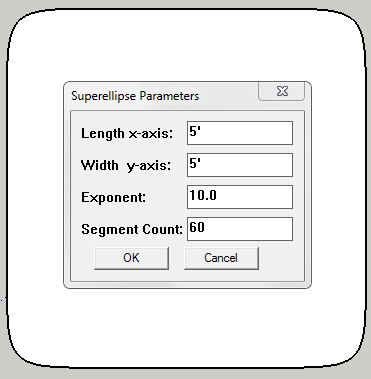
The plugin works by first setting the X and Y coordinates, creating a simple rectangle. Then you enter the exponent (affecting the squareness of the shape) and the segment count (controls the smoothness of the curve). This plugin works similar to the Round Corner Plugin but instead of rounding a square, it squares an ellipse. If you notice closely the image above has rounded sides as well. The final product does not end up with straight lines, unless you play with the options to limit it to only 4 segments.
IN OLD VERSION* We noticed that a drawback of this plugin is that there is no known scale for the exponent input. As of now its pretty much a shot in the dark as to how square the superellipse will come out. Perhaps having a scale of 1-100 (100 being a perfect square) the plugin would be more manageable.
Overall, The Superellipse plugin created by Regular Polygon is a useful plugin to have. At the time of this review this plugin is free and is available at regularpolygon.blogspot.com. I give this plugin 4 out 5 stars.






Leave a Reply
You must be logged in to post a comment.