RSSAll Entries in the "Essential Plugins" Category

DXF Export SketchUp Plugin Review

DXF Export SketchUp Plugin Review

The DXF Export plugin created by Joergber on SketchUcation.com is a useful plugin allowing you to export your 3D model to AutoCAD as a DXF file developed by AutoDesk (Drawing Interchange Format or also known as Drawing Exchange Format). The plugin works with Google SketchUp 8 and known to at least work with AutoCAD 2010.
The [...]

The Pen Tool + Google SketchUp Plugin Review

The Pen Tool + Google SketchUp Plugin Review

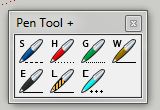
The Pen Tool + plugin created by R. Obrien on the Ruby Library Depot is a useful plugin allowing you to use a variety of different pens in addition to the pen tool.

Pen Tools included in version 1.4 are:
- Soft Draw – is to help you create softened or smoothed lines. It works the same [...]

The Key Frame Animation Google SketchUp Plugin Review

The Key Frame Animation Google SketchUp Plugin Review

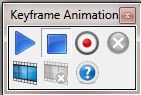
The Key Frame Animation plugin created by Regular Polygon is an extremely useful plugin to show movement. The plugin works with Google SketchUp 8 and allows you to create movements based on screens.
Use of this plugin is tricky at first, though by following directions given in the user guide it becomes very easy to use. [...]

Texture Tools Google SketchUp Plugin Review

Texture Tools Google SketchUp Plugin Review

The Texture Tool plugin created by TIG on SketchUcation.com is a decent plugin to adjust textures. Works with Google SketchUp 8 and allows you to adjust the texture in many different ways including: Texture Adjust, Texture Nudge, Texture Rotate, Texture Scale, Texture Shunt and Texture Tweak.
Once installed the plugin has two main sets of buttons, [...]

Toggle Units Google SketchUp Plugin Review

Toggle Units Google SketchUp Plugin Review

The Toggle Units plugin created by Matt666 on SketchUcation.com is an essential plugin to have in your SketchUp toolbox. It allows you to switch between metric units, standard units and other fornmats while using SketchUp.
Toggle Units allows you to switch from Meters to Centimeter and Millimeters in the Decimal mode. You can also switch from [...]

Align Tool Google SketchUp Plugin Review

Align Tool Google SketchUp Plugin Review

The Align Tool plugin created by Didier Bur on SketchUcation.com is an essential tool to help you with aligning objects and components in your model. With just a simple right click and then defining a few points you can align objects precisely and quickly.
The Align Tool works really well, but it does take a few [...]

Lattice Maker Google SketchUp Plugin Review

Lattice Maker Google SketchUp Plugin Review

The Lattice Maker plugin created by TIG on SketchUcation.com is a simple plugin allowing you to make lattice style arrays and frames. The plugin works great to create skylights, sculptures, mosaic glass tiles, greenhouses and much more. This plugin is great for architects and contractors to create works simply and quickly.
The plugin allows you [...]

Windowizer Google SketchUp Plugin Review

Windowizer Google SketchUp Plugin Review

The Windowizer plugin (version 3) created by Rick Wilson on Smustard.com is a simple tool to create windows for your SketchUp model. It gives you many options such as trim colors, glass styles and arrangements.
Using the plugin is simple but not really that intuitive. You need to make sure that you select a single face [...]

Fur Google SketchUp Plugin Review

Fur Google SketchUp Plugin Review

The Fur plugin created by user Tak2hata on SketchUcation.com is a simple plugin to create blades of grass or fur in a model. Most SketchUp users will probably use this to create grass and other greenery. But I am sure there are those exceptions that will have the need to model a guerrilla, they will [...]

Door Tools Google SketchUp Plugin Review

Door Tools Google SketchUp Plugin Review

The Door Tools plugin created by Tomot on Ruby Library Depot is a great set of tools to create custom doors. These tools allows you to create doors, frames and trims with different styles.
Each of these tools in this set works by using the 3 click process, click the top two corners and then specify [...]